Nightwatch vs Ahrefs: Which Tool Is Best For You in 2026?

If you’ve been thinking about Nightwatch vs Ahrefs, you’re definitely not alone. Both tools promise to help you rank higher on Google, grow your organic traffic, but they both take very different approaches to get you there.
Nightwatch focuses heavily on rank tracking and reporting. It’s built for agencies and businesses that need clean, white-label reports for clients (the kind you can send out without any awkward rebranding). Ahrefs, on the other hand, is a complete SEO platform covering keyword research, backlink analysis, content exploration, and site auditing all in one place.
This guide breaks down both Nightwatch and Ahrefs in detail, covering their core features, pricing structures, and ideal use cases updated for 2026. By the end, the right choice for your specific situation should be much clearer. Maybe you run a small business and just need solid rank tracking without all the extras. Or perhaps you manage an agency with dozens of clients who all want different things. You might even lead a growth team at a SaaS company where backlink data and competitor analysis matter more than anything else. Whatever your situation, this Nightwatch vs Ahrefs comparison should help you figure out the right fit.
So let’s get into what makes each platform unique and where they actually deliver.
Understanding Nightwatch vs Ahrefs: Core Features and Strengths
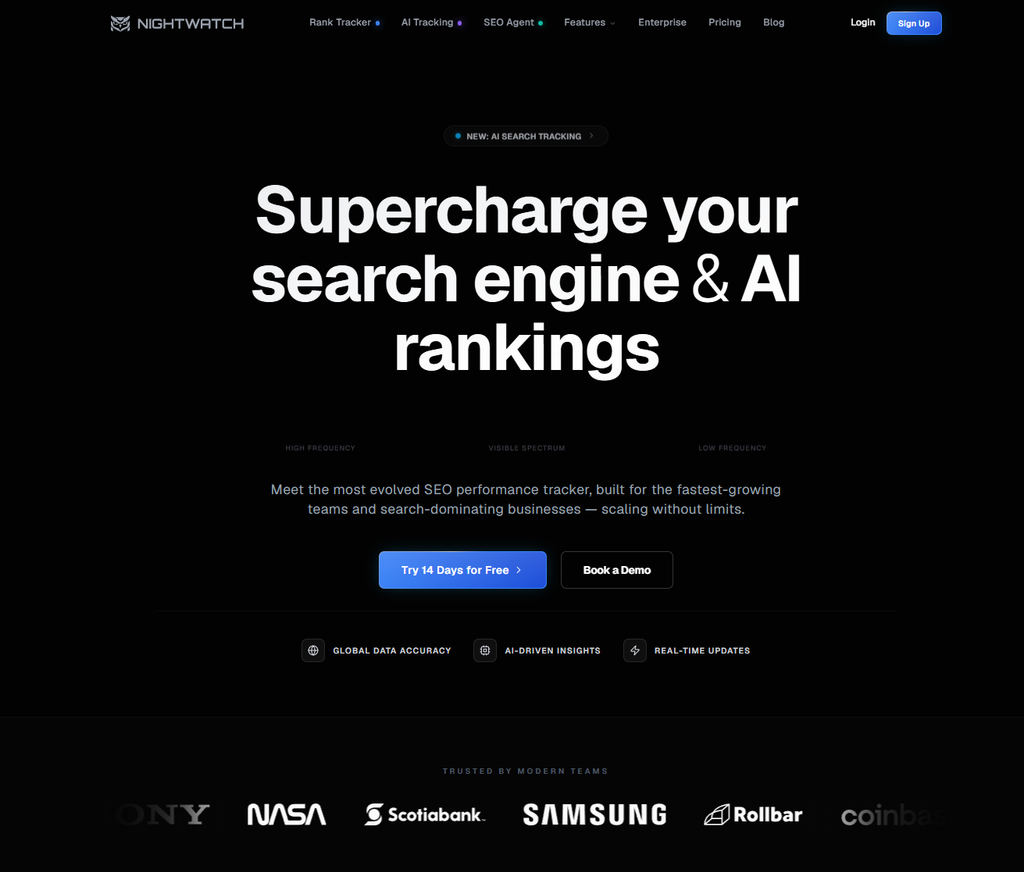
So, Nightwatch is kinda like your go-to for tracking rankings, built from scratch with one main goal in mind. It’s all about helping you keep an eye on your search rankings with some real precision and clarity.
Nightwatch tracks keywords across platforms like Google, YouTube, Bing, and DuckDuckGo. However, we think what really makes it a stand out tool of it’s own right, is its local-level monitoring. You can get down to specific cities or even zip codes. For businesses that are focused on particular areas, this detailed approach really makes a difference compared to the more generic tools out there.
Agencies really like the white-label reporting system, and honestly, it’s easy to see why. You can whip up branded reports that don’t have any Nightwatch logos popping up, keeping everything looking neat and professional. Plus, you can set these to go out automatically on a weekly or monthly basis. This saves a ton of time when you’re juggling a bunch of client accounts.
The graph-based visualization system? It makes spotting trends over time pretty easy. When rankings go up or down, you can often trace back to the exact date when changes happened, very important to see how your strategy is working out. Team members who don’t have a ton of SEO experience can usually make sense of the data without needing too much guidance, which is always a win when you’re trying to get non-technical people up to speed.
With its integration with Google Analytics and Google Search Console, the platform pulls in extra data points like click-through rates, impressions, and organic traffic numbers. Having all of this in a single dashboard means you don’t have to keep jumping around between different tools all the time.
Exploring Ahrefs: A Complete SEO Ecosystem
Ahrefs goes in a completely different direction. Rather than focusing on one specialty, it works as an all-in-one SEO command center with many different tools. The platform handles keyword research, backlink analysis, site audits, and content exploration, with rank tracking layered on top, and many more things (so you’re not bouncing between five separate tools).
Where Ahrefs really stands out is its backlink database. Industry analysis shows that Ahrefs crawls the web continuously and maintains one of the largest link indexes you’ll find anywhere. This makes it super useful for competitive analysis and link building work. You can see exactly who links to your competitors and spot opportunities for your own site.
| Feature | Nightwatch | Ahrefs |
|---|---|---|
| Rank Tracking | Advanced with local focus | Included but not primary focus |
| Backlink Analysis | Basic | Industry-leading database |
| Keyword Research | Limited | Comprehensive with difficulty scores |
| Site Audits | Not available | Full technical SEO audits |
| Content Explorer | Not available | Powerful content research tool |
| White-Label Reports | Yes, excellent | Limited options |
The Keywords Explorer tool opens up new ranking possibilities. It displays search volume, keyword difficulty, and click potential. What makes this really helpful is seeing the questions people ask around your target topics, which plugs directly into content planning.
Site Audit is another standout feature. It crawls your website and flags technical SEO problems like broken links, slow pages, and missing meta descriptions. This automated approach usually catches issues that slip past manual checks but you still have to go and fix things manually. Teams without dedicated developers often find this guidance saves hours of troubleshooting time. We actually wrote about technical SEO for non-developers if you want to look at that topic further.
Content Explorer helps you discover top-performing content across any niche, whatever it may be. You can filter results by social shares, referring domains, and organic traffic. The real payoff here? Understanding what content types actually connect with the audience you’re targeting. Maybe that’s long-form guides, quick how-tos, or data-driven pieces. Each niche tends to favour different formats, and this tool shows you the patterns.
Pricing Breakdown: Nightwatch vs Ahrefs Costs in 2026
Pricing often ends up being the deciding factor for most teams, so here’s what you’ll actually pay for each platform (data updated for 2026).
Nightwatch uses a tiered pricing model based on keyword count. The Starter plan begins around $39 per month for 250 keywords. The Optimize plan jumps to $99 monthly for 1,000 keywords. For larger operations, the Agency plan at $369 per month covers 5,000 keywords and includes white-label reporting plus API access. A mid-tier option sits between Optimize and Agency for growing teams who need something in the middle, this is probably the sweet spot for most small agencies, honestly.
Ahrefs pricing works differently. Their Lite plan starts at $129 per month, which includes access to all core tools but with usage limits on crawls and exports. The Standard plan at $249 monthly increases those limits significantly. Advanced and Enterprise plans scale up from there for larger teams.
What does this mean in practice? Nightwatch usually gives you more keywords per dollar when rank tracking is your main priority. Ahrefs packs more features into each tier, backlink analysis, content explorer, site audits, which often makes sense when you want the full SEO toolkit rather than just position monitoring. A small agency tracking 2,000 keywords for five clients, for example, would pay significantly less with Nightwatch than with an Ahrefs plan that includes features they might never touch.
Additionally, you can explore our Ahrefs API Alternatives in 2026 guide to see how pricing compares to other options.
| Plan Level | Nightwatch Price | Ahrefs Price | Best For |
|---|---|---|---|
| Entry | $39/month | $129/month | Small sites vs Full toolkit |
| Mid-tier | $99/month | $249/month | Growing businesses |
| Agency/Advanced | $369/month | $449/month | Large teams and agencies |
Both tools offer annual billing discounts. Paying yearly typically saves around 15-20% compared to monthly payments, which adds up for budget-conscious teams.
Free trials are limited on both platforms. Ahrefs offers a 7-day trial for $7, giving you full access to explore the interface. Nightwatch provides a 14-day free trial without requiring a credit card, nice if you’re just curious and want to poke around before committing any money.
Rank Tracking Capabilities: Nightwatch vs Ahrefs Deep Comparison
Both tools offer rank tracking, so let’s dig into this specific feature. The differences here matter quite a bit depending on how you actually use the data.
Nightwatch updates rankings daily by default, and you can also trigger manual refreshes when you need them. The platform tracks desktop and mobile rankings separately, essential stuff given how differently Google tends to rank content across devices. Local tracking goes down to the city level, which makes it particularly useful for businesses managing multiple locations.
The segmentation options in Nightwatch stand out. You can group keywords by campaign, client, or custom tags, building an organizational system that matches your actual workflow. For agencies juggling multiple projects, this prevents the confusion that comes with messy keyword lists. The filtering system lets you quickly surface keywords that improved, declined, or stayed stable.
Ahrefs Rank Tracker works well but takes a more generalist approach. It updates rankings on a schedule you set, daily, weekly, or on-demand. You get visibility into SERP features like featured snippets, knowledge panels, local packs, and image carousels. The tool also tracks competitors alongside your own rankings.
For reporting depth, Nightwatch has the edge. The visual reports come out cleaner and offer more customization options, noticeably more polished. You can add notes explaining ranking changes to clients, and the white-label options look more professional than what Ahrefs provides.
Where Ahrefs shines is in connecting rank tracking to its broader ecosystem. When you notice a ranking drop, you can immediately investigate whether you lost backlinks or if competitors published new content. This integration provides context that standalone rank trackers simply can’t match, and for many teams, that contextual insight turns out to be more valuable than prettier reports.
What does this mean for your decision? Agencies whose primary deliverable is ranking reports will probably gravitate toward Nightwatch for this category. Teams needing rank tracking as one piece of a larger SEO workflow will often find Ahrefs makes more practical sense. We also wrote about Ahrefs Keyword Cannibalization Template: Updated for 2026 which can help organize your keyword strategy.
Backlink Analysis and Link Building Support
Backlinks remain a key ranking factor. So how do these tools actually help you build and monitor your link profile?
Ahrefs pretty much dominates this category. The platform maintains one of the largest backlink databases in the industry. Site Explorer shows you every link pointing to any domain, when links were discovered, their anchor text, dofollow or nofollow status, and the referring page’s traffic. You’ll find all of this displayed in a single dashboard view.
The Link Intersect tool is particularly useful. It shows you sites that link to your competitors but not to you. These are prime outreach opportunities since you already know these sites are willing to link to content in your niche. Half the battle is won before you even reach out.
Tracking new and lost backlinks over time is another strength. Ahrefs sends alerts when you gain or lose important links, like during algorithm updates or when sites restructure. If a valuable link disappears, this helps you respond quickly rather than discovering the loss weeks later. Understanding your backlink profile is essential for maintaining rankings.
Nightwatch includes basic backlink data but relies on third-party sources. The integration with Google Search Console pulls in some link information. The depth and freshness just can’t match what dedicated backlink tools offer though, it’s not really a fair comparison since Nightwatch wasn’t built for this purpose.
For link building campaigns, Ahrefs is the clear winner. The data quality and analysis features give you actionable insights that you can actually use for outreach.
If link building is a major part of your SEO strategy, Ahrefs usually provides the foundation you need, competitor gap analysis, referring domain metrics, and historical link data. For most serious link builders, that combination tends to make the investment worthwhile.
Content Research and Keyword Discovery
Getting the right topics and keywords probably matters more than almost anything else when it comes to content success. Here’s how each tool handles this essential part of the workflow.
Ahrefs Keywords Explorer really shines here. Drop in any seed keyword and you’ll pull up thousands of related ideas. Each suggestion comes with search volume, keyword difficulty, and clicks data. The parent topic feature groups variations together, helping you steer clear of keyword cannibalization, something that tends to catch people off guard more often than you’d think. It’s particularly handy for planning content clusters.
You’ll find the Questions feature genuinely useful because it surfaces what people actually ask about your topics. These feed directly into FAQ sections and thorough guides. Filtering by search volume lets you focus on questions that typically drive real traffic rather than obscure queries nobody searches for.
Content Explorer takes a completely different approach. Rather than starting with keywords, you’re hunting for top-performing content. You can find articles pulling thousands of shares or hundreds of referring domains. Study what’s working for them, then build something even better for your audience.
Nightwatch doesn’t really compete on the content research front. The platform expects you to show up already knowing which keywords to track. That’s fine if you’ve got separate research tools, but it does mean juggling additional subscriptions and dealing with more workflow complexity, costs that add up faster than most teams anticipate.
For teams needing help spotting content opportunities, Ahrefs bundles keyword research, competitive analysis, and content gap tools together. The keyword difficulty scores help you identify battles worth fighting. Content gap analysis reveals topics your competitors cover that you haven’t touched yet.
If you’re already set up with other keyword research tools, Nightwatch handles tracking without issues. Most teams, though, usually benefit from keeping research and tracking connected. Pairing AI-powered content creation with solid keyword research can speed up your content production considerably.
Technical SEO Audits and Site Health
Technical SEO issues can tank your rankings no matter how good your content is. So which tool actually helps you identify and fix these problems?
Ahrefs Site Audit crawls your entire website and generates a health score. It spots issues across categories like performance, HTML tags, content quality, social tags, and incoming links. Each issue comes with an explanation and priority level, super helpful for knowing what to tackle first, because the list can feel overwhelming otherwise.
The crawl settings offer solid flexibility. You can run full audits weekly or zero in on specific sections of your site. What makes this especially useful is the comparison feature that tracks audits over time. When you need to show stakeholders that your work is actually moving the needle, having data that proves those redirect fixes improved crawl efficiency makes all the difference.
Common issues Ahrefs catches include orphan pages, redirect chains, duplicate content, and slow-loading pages. For each problem, you get a list of affected URLs. This makes handing things off to developers pretty straightforward, they’ll know exactly which pages need attention without a bunch of back-and-forth emails asking for clarification.
Nightwatch doesn’t include site auditing capabilities at all. If technical SEO matters to your strategy, you’ll need a separate tool. This adds cost and complexity to your workflow, which gets frustrating when you’re trying to keep things streamlined.
What about people who aren’t developers but still need to manage SEO? The Ahrefs audit tends to provide the clearest guidance without requiring deep technical knowledge. You can understand what needs fixing even if you can’t fix it yourself, and let’s be honest, most of us aren’t diving into server configurations. The explanations use plain language instead of jargon.
For teams serious about technical SEO health, Ahrefs often proves essential. The audit feature alone frequently justifies the price difference for many users. We also wrote about browser extensions for SEO that can help catch issues during regular browsing too.
Ideal Use Cases: Who Should Choose Which Tool?
With the features covered, let’s match each tool to specific user profiles.
Nightwatch makes sense if you’re an agency focused on rank tracking and reporting. The white-label features and clean interface make client management smooth, and the dashboard is probably one of the cleanest out there. You get excellent value for high-volume keyword tracking, and the platform works well alongside other specialized tools you might already be using.
Solo consultants who need professional reports without spending hours on formatting will also find Nightwatch fits their workflow. Automated scheduling frees up time for actual SEO work. When your clients primarily care about ranking positions, Nightwatch delivers clear position data with trend visualizations they can actually understand.
Ahrefs becomes the better choice when you need a full SEO toolkit. The backlink database, keyword research, and site audits cover most SEO workflows from one dashboard. No switching between multiple subscriptions for backlink analysis, content gap reports, and technical audits.
In-house SEO teams at growing companies often gravitate toward Ahrefs. The breadth of features tends to support various team members with different specializations. Content writers use keyword research while technical SEOs run audits. Link builders dig into competitor profiles. Everyone working from the same data source usually cuts down on confusion and conflicting recommendations.
E-commerce businesses benefit from Ahrefs’ product-focused features. You can track competitor pricing pages, find content gaps in your category, and monitor backlinks to product pages. The scale of the database matters quite a bit when you’re competing against large retailers with massive link profiles.
What about SaaS companies? They often prefer Ahrefs for competitive intelligence. Understanding how competitors rank and what content drives their traffic informs product marketing decisions during quarterly planning and campaign launches. Content Explorer helps identify topics that resonate with your target audience too. We wrote about SaaS SEO tools if you want to dig deeper into strategy options.
Making Your Final Decision
Both Nightwatch and Ahrefs are legitimate tools that serve real needs. Your specific situation determines the right choice, nothing else really matters here.
Start by listing your must-have features. If rank tracking and reporting top your list, Nightwatch probably delivers excellent value. You’re paying for exactly what you use with this focused approach. Agencies managing multiple clients will appreciate the workflow efficiency, and smaller teams often find the learning curve much gentler than expected, which is always a nice surprise.
Broader capabilities point toward Ahrefs. The higher price reflects the expanded feature set, giving you keyword research, backlink analysis, and site auditing that would cost much more if purchased separately. The way features work together creates workflow advantages that tend to add up over time as well.
What does your growth trajectory look like? A tool that fits today might not scale with your needs. Ahrefs grows with you as your SEO sophistication increases. Nightwatch works well as part of a larger toolkit, but you’ll likely need additional subscriptions as you expand.
Frequently Asked Questions
Absolutely. Many agencies use Nightwatch for client-facing reports while relying on Ahrefs for research and analysis. It’s a solid combo, honestly. The tools work well together since they’re strong in different areas, Nightwatch handles daily tracking while Ahrefs covers the deep-dive research stuff. Just factor in the combined cost when you’re budgeting.
Nightwatch probably wins here for local rank tracking. You can monitor rankings at the city level across multiple locations, and it gives you really granular data for each spot (we’re talking neighborhood-level specifics in some cases). Ahrefs tracks local rankings too, but it doesn’t go quite as deep into the location-specific details.
If you’re running a business with multiple physical locations, Nightwatch will likely give you more detailed local insights to work with. You’ll get better visibility into how each individual store or office is actually performing in its specific market.
Ahrefs keyword difficulty scores are generally reliable when you’re comparing keywords against each other. They work well for prioritizing easier wins over harder battles, which can save you quite a bit of time during research. They’re also helpful for spotting obvious mismatches in competition level between different terms.
That said, no difficulty score is perfectly accurate. Google likely considers hundreds of factors that tools simply can’t measure. So treat the scores as helpful guidance rather than absolute truth.
Nightwatch doesn’t have a permanent free plan. But they do offer a 14-day free trial, and you won’t need a credit card to get started (which is always nice). Two weeks should give you enough time to test the platform with your actual keywords and see if it fits your workflow. It’s a solid way to try things out before committing to anything.
Nightwatch updates rankings daily by default, and it lets you trigger manual refreshes whenever you want (which is honestly pretty handy when you’re monitoring a campaign launch). Ahrefs Rank Tracker works a bit differently, you’ll set a schedule, either daily or weekly depending on your plan.
If you need time-sensitive tracking, both tools handle daily updates well for most situations, though Nightwatch’s on-demand refresh option gives you more flexibility during those key first few days of a new campaign.