Google Keyword Position Checker API Guide - 2026 Update
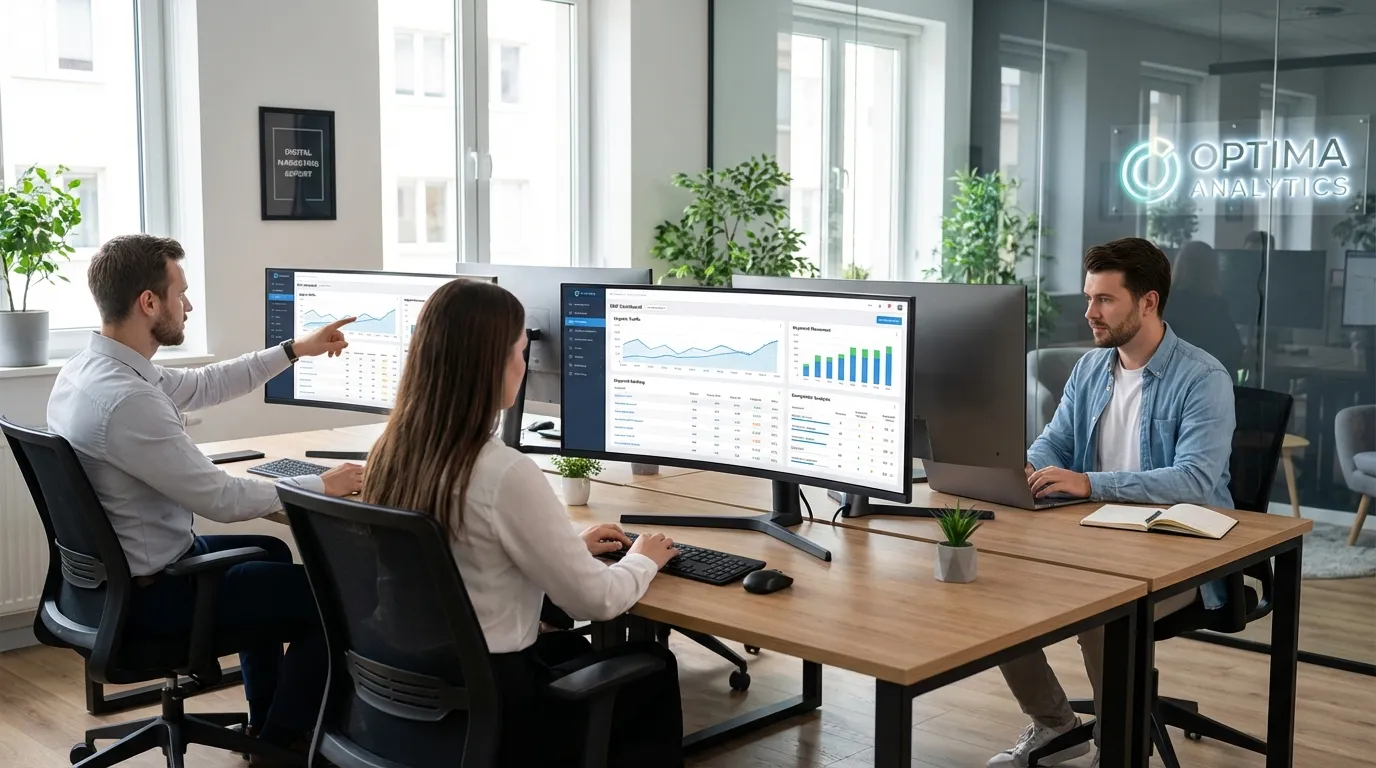
By 2026, tracking keyword rankings isn’t just about seeing where you land on the search results page, it’s more about knowing how your brand shows up in AI-powered search tools. That includes checking your visibility in Google’s AI Overviews, seeing how you appear in conversational search, and pulling all that data into one clean dashboard so you’re not juggling dozens of browser tabs. For digital marketers, SEO pros, and content leads, anyone guiding an online strategy, using a google keyword position checker api right from the start can clarify this extra layer, and although it can feel tricky at first, it often gives you more useful and detailed insights.
The classic google keyword position checker api is still worth using, but now it works well with bigger tools like Semrush’s Position Tracking API for real-time changes, Ahrefs’ historical rank data for spotting long-term trends, and Google’s Search Console API for confirmed search info. Even smaller niche trackers can be handy for filling unique gaps. In this guide, we’ll look at using Google’s API for keyword checks in 2026, note what’s different, and give a clear example of turning ranking stats into a boost you can see in your traffic reports.
Why Google Keyword Position Checker API Tracking Has Changed
A few years ago, landing in the top search spot felt like a sure win. Now, it’s not that straightforward. AI-generated summaries often appear before the usual listings, so even a #1 rank can get pushed out of view. That top spot doesn’t always mean clicks, especially when people find what they need without leaving the results page.
These days, the smarter move is to figure out:
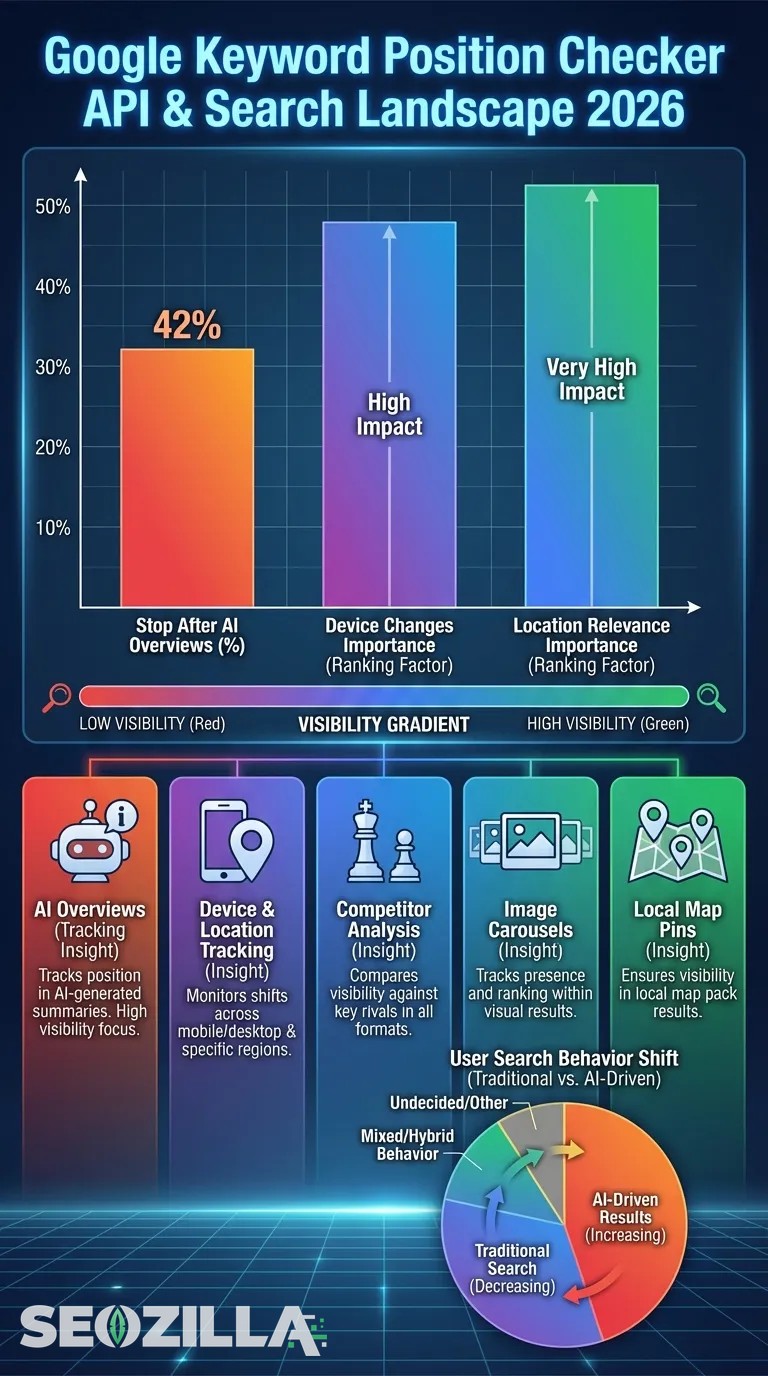
- If your brand actually appears inside those AI Overviews.
- How rankings change depending on device, location, or search style.
- Which competitors own the same keywords, and where they fall short.
- Whether you’re also showing up in extras like image carousels or local map pins.
The way people search has shifted too. A 2025 study found around 42% of users stop reading once they see the AI Overview. So you can have a strong organic rank but still be unseen in reality. Voice search is taking a bigger slice, and detailed, context-heavy queries often matter more than broad ones. Personalized results mean one “rank” number rarely tells the full story.
Google’s changing with it. As Pansofic Solutions notes, Search Console now pulls AI visibility data through its API, letting marketers track not just rankings, but whether they’re getting prime spots in summaries, snippets, and other rich results.
Using Google Keyword Position Checker API with Google Search Console
By 2026, GSC added structured data performance insights along with AI visibility reporting. That means you can now check if your content appeared in an AI Overview, even if no one actually clicked through. Picture a guide you wrote showing up inside an AI-generated snippet but your traffic staying the same, the “AI impressions” will still be recorded. This is handy when brand visibility matters as much as clicks. With filters for appearances like “AI Overview,” “Video Carousel,” and “Image Pack,” it’s easier to spot unusual drops, like on mobile, fast and accurately.
The pages that do not pass the quality classification of Google are practically invisible in an AI-based search experience.
Combining GSC Data with Semrush Google Keyword Position Checker API
Google Search Console gives you Google’s own data, straight from the source. Add in Semrush’s Position Tracking API and you get a deeper view, the kind of competitive insights you might miss if you only look at GSC. Together, they let you:
- Track up to 10 competitor domains for the exact keywords your strategy focuses on.
- Compare results across mobile, desktop, and tablet, handy when mobile traffic often leads.
- Explore local SEO results for certain cities or regions, like checking how Chicago compares with LA.
- Spot seasonal ranking changes that can point to new trends or shifts in search habits.
Semrush’s “Visibility Index” mixes ranking positions with estimated CTR from SERP features. Paired with GSC’s impressions and clicks, you get a complete view of what’s driving traffic.
SaaS and e‑commerce teams often use this for campaigns in multiple regions. For example, a SaaS company targeting “project management software” could check New York vs. London rankings, then see if competitors appear in AI Overview boxes. Matching GSC’s average position with Semrush’s gap analysis shows where you’re ranking but competitors are winning attention, flagging pages that could use a timely update.
Leveraging Ahrefs Google Keyword Position Checker API for Historical Insights
Ahrefs’ Keyword Rank Checker can pull data going back to 2015, giving you nearly ten years of ranking history to explore. This is great if you want to spot long‑term patterns or figure out how Google’s quiet tweaks and big updates have affected your site’s visibility over time. Watching keywords climb, drop, or even crash helps you see which ones stay steady and which ones bounce around. The unpredictable ones can often offer the most interesting clues. Seasonal jumps in ecommerce or a sudden lift for an info page right after a major update are easier to connect when you’ve got this kind of timeline in front of you.
You might find:
- Keywords that have stayed strong for years.
- Sudden drops or unusual bursts of change.
- Differences between desktop and mobile rankings over time.
- Ranking boosts linked to a campaign or event.
Using Ahrefs’ API, you can track ranking changes and get ready for possible shifts. If product searches slow each December because competitors push heavy ads, you’ll be ready to adjust. Combining this with the google keyword position checker api for official stats and Semrush for competitor insight gives you a fuller, more reliable SEO plan. You can also explore Ahrefs API Alternatives in 2026 for broader tracking options.
Tracking AI Overview Visibility with Google Keyword Position Checker API
When Google introduced AI Overviews in Search back in 2026, it didn’t just make a small change, it completely shook things up. Suddenly, summaries pulling info from all over the internet could either put a brand front and center or leave it out entirely. Tools like SE Ranking’s AI Overviews Tracker make it simple to check when a keyword triggers one of these summaries and whether your brand gets mentioned. That mention can give a real lift in visibility, especially when the AI snippet shows up first in results.
Imagine this: you’re sitting at #2 in rankings, but the AI Overview skips your brand. Click-throughs often drop quickly in those moments. Yet if you get a mention from a lower spot, you might still catch eyes, sometimes even drive more sales, just because people recognize your name. Some newer trackers also scan sentiment so you can tell if the tone feels positive or neutral. As The Social Cat notes, keeping an eye on these overviews is becoming a regular part of SEO, with agencies adding “AI Visibility Audits” to their usual review process.
Common Google Keyword Position Checker API Challenges and Solutions
Challenge: API data not matching across different tools.
Solution: Many teams treat GSC as the main “source of truth” and then use other tools for extra context, like getting a second opinion from a doctor. When numbers seem off, it’s usually because each platform gathers and updates data at different times; even a short delay can make trends look inconsistent.
Challenge: Comparing performance in multiple markets.
Solution: A good method is to pick APIs with solid location targeting, Semrush works well for competitive info, while Ahrefs is strong for detailed keyword tracking. Use the same keyword lists for each region so a US, UK comparison doesn’t accidentally mix unrelated terms, which happens more than you’d expect.
Challenge: AI Overview metrics missing in standard rank reports.
Solution: Use tools made to track AI Overviews, and make sure the team understands what those numbers mean, otherwise they’re just figures without real insight.
Handling API quotas for big projects often means batching requests, saving results, and reusing them later to avoid hitting limits. Setting all tools to the same time zone also helps stop reporting mismatches and keeps cross-platform data cleaner.
Niche Applications and Future Trends for Google Keyword Position Checker API
Multi-location tracking isn’t just a handy feature, it can really help local SEO teams stand out in different cities. Picture a pizza chain checking “best pizza” rankings in every town they serve, then tweaking toppings to fit local favorites (pepperoni might win in one area, veggie in another). SaaS brands can track very specific product keywords across multiple countries, making sure niche audiences can always find them. For online shops, watching seasonal keyword changes lets them roll out promos right when demand jumps, sometimes matching local festivals or the excitement around big sports events.
Soon, Google will likely add more AI Overview metrics in GSC, giving marketers clearer insight into real search habits. Predictive AI might start spotting upcoming keyword boosts by studying past patterns and competitor moves. Position tracking could also connect with voice search optimization, which helps when people ask casual questions to quickly find exactly what they’re looking for.
Google Keyword Position Checker API Tools and Resource Overview
Key tools:
- Google Search Console API
- Semrush Position Tracking API
- Ahrefs Keyword Rank Checker
- SE Ranking AI Overview Tracker
Each tool offers something unique. Google Search Console gives official data straight from Google, usually the most accurate for tracking your own site’s results. Semrush shows how you compare to competitors and points to chances you might miss. Ahrefs is great for watching keyword trends over time, catching small declines before they grow. SE Ranking adds an AI-based visibility view that can spot patterns you might not notice yourself. Using two or more together often works best, solid stats from one, smart predictions from another. If you want full control, open‑source options like SerpApi or DataForSEO let you build dashboards and reports that fit your exact workflow. Additionally, check out Google num=100 Update Hits 77%: Long-Tail SEO Wins for related strategies.
Troubleshooting Google Keyword Position Checker API Integrations
Data pull hiccups happen more often than you might think, so it’s best to start with the simplest fixes.
- First, check that your authentication tokens are still valid, they can expire sooner than you expect.
- Even a small typo in endpoint parameters or config settings can throw the whole process off.
- It’s worth looking at your API limits or quotas too; hitting those can quietly block requests without obvious errors.
Have you checked your date ranges lately? Start and end dates that don’t match between tools, especially with time zone changes or daylight savings, can cause silent issues. Sometimes expired refresh tokens sneak in, or a tricky JSON parsing problem is the real culprit. Network timeouts can slow things to a crawl. Turning on detailed logging often shows what’s breaking in the background. And with huge datasets, asynchronous requests help keep things moving instead of locking up the process.
Summary Insights from Google Keyword Position Checker API Usage
By 2026, keeping track of keyword positions has become trickier, and also more interesting. The most reliable starting point is usually the official GSC data from Google. Semrush works well for a broad view of competitors, while Ahrefs often spots niche chances others miss. For AI Overview visibility, trackers built specifically for that job tend to give the clearest picture.
Now, rankings often show only part of what’s happening. When you combine data from several tools, you start to see patterns showing how your brand appears, not just in regular search results, but also in newer AI-generated summaries.
Your Path Forward with Google Keyword Position Checker API
Before you try anything advanced, hook up the Google Search Console API, it’s like grabbing a “before” picture you’ll be glad to look back on. A handy move is pulling all this info into one dashboard, so you’re not bouncing between tabs. From there, review what’s already working, spot any gaps in AI visibility tracking, and add tools at a steady pace, start with main APIs, then bring in smaller, niche trackers once your base setup is steady. This way, you can track search changes and see exactly how they affect you.
Common Questions
Start by creating a Google Cloud project, nothing can happen until that’s done. Next, the easiest way to sign in is usually by setting up OAuth credentials. Make sure your service account has permission to get Search Console data, or it won’t work. The Search Analytics endpoint is often where you’ll find the most useful info, so connect to it. Lastly, turn on the API in Cloud Console; without that, even a perfect setup won’t give you any data.
GSC gets its info straight from Google’s own reports, making it the most reliable source. Semrush instead uses estimates from its crawlers, so those figures can feel a bit more like educated guesses.
Rankings can change because Google tailors results to your location, device, or past searches, even ones that seem unrelated. These personal adjustments mean it’s common for the two tools to show different numbers, so matching results exactly doesn’t usually happen.
Unfortunately, Google’s API can’t really do that, which catches many people off guard. A more focused tool, like SE Ranking’s AI Overview Tracker, can keep an eye on AI summaries and spot brand mentions automatically. Some smaller, niche tools work as well, especially if you want quick alerts when your brand appears in those summaries.
Definitely, it’s one of the best ways to spot long-term changes and see how updates, like last year’s big shift, moved rankings. You’ll often notice trends that suggest future search habits, making it especially useful when planning bold strategy changes that could, in some cases, lead to major gains.