Best Wix SEO Tools in 2026

If your business site’s on Wix, you probably already know how important it is to show up in Google’s search results, and even more so in a post-AI world where AI optimisation is solidly based on SEO. A nice-looking Wix design can impress visitors, but it usually won’t boost your rankings without solid SEO work behind it. The upside is that Wix has improved a lot, now offering built‑in tools like keyword tracking and analytics, plus useful integrations that work smoothly with daily tasks.
This guide looks at the best Wix SEO tools in 2026, starting with our top AI‑powered pick, our own tool, SEOZilla. You’ll also see other good options, each with their own strengths, possible downsides, and clear examples of which kinds of businesses benefit most from them.
Yes, it is. Wix has come a long way from the days when it was widely criticized as an SEO nightmare. Over the past few years, the platform has introduced key improvements that make it much more competitive with other website builders.
1. SEOZilla: AI-Powered SEO Content Automation for Wix
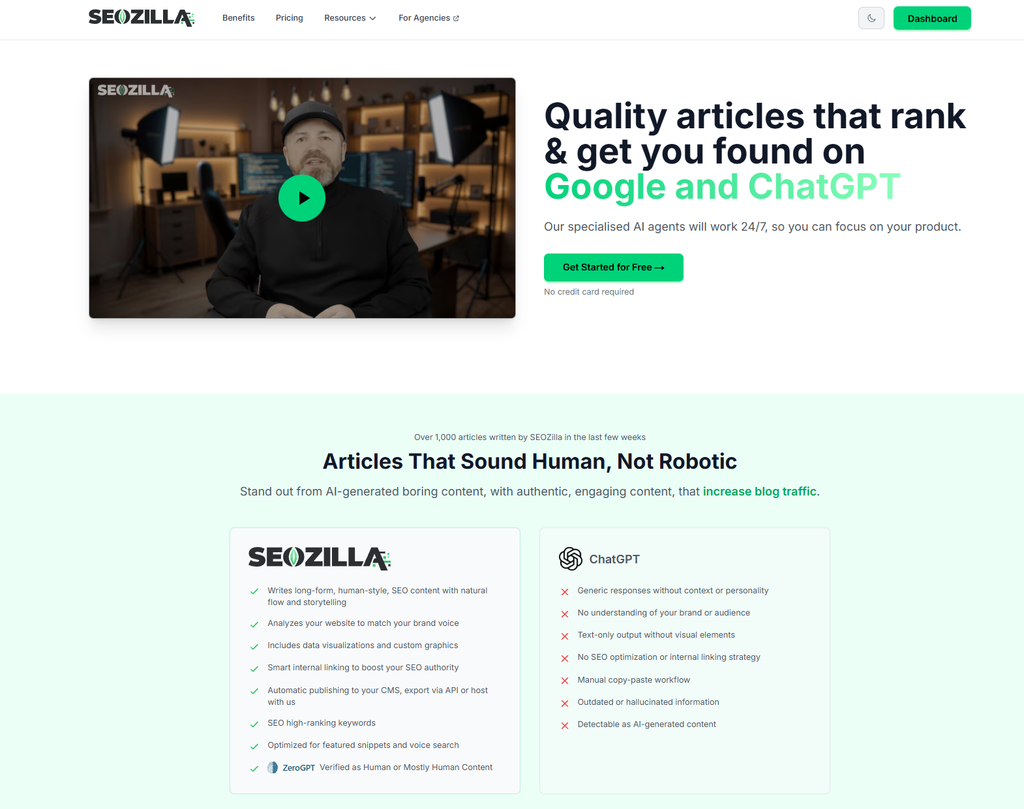
SEOZilla is built for teams who want scalable, AI-backed SEO content that still sounds like them, fully human and easily bypassing most popular AI detectors including Ahrefs. For anyone working in Wix, it can truly change how content gets planned and published.
Here’s what makes it special:
- Brand-Aligned AI Writing: Learns your style so what it produces feels like it came straight from you.
- Automated Internal Linking: Connects related pages, making it easy for visitors to move around your site.
- Multi-Site Publishing: Pushes your content to Wix and other CMS platforms in one step.
- AI Content Detection: Tweaks AI text so it often passes common detection checks, and also offers Human+AI packages.
| Feature | Benefit | Ideal User |
|---|---|---|
| Brand-Aligned AI | Keeps tone consistent across all content | Marketing teams |
| Internal Linking Automation | Boosts site SEO without manual linking | SEO specialists |
| Multi-Site Publishing | Publish to Wix, WordPress, Webflow | Multi-platform businesses |
By the way, we wrote about keyword placement strategies here. You can also explore our detailed comparison of 10 Best SEO Toolbars for Browsers 2026 for additional insights that complement these Wix SEO tools.
2. Wix Native SEO Tools
Wix’s built‑in SEO features have improved a lot lately, offering more than just the basics:
- AI SEO Assistant suggests keyword ideas based on your exact niche, so you’re more likely to target terms people are actually searching for.
- Structured Data options for rich snippets and advanced schema formats like FAQPage, HowTo, and Product, great for adding those extra details Google likes.
- Instant Google Indexing via API, cutting the wait from days to just hours.
- Automatic mobile‑friendly layouts plus Core Web Vitals tracking, helping pages load quickly and look good on any device.
Yes, if you know what you're doing. In 2026, Wix handles technical heavy lifting, like XML sitemaps, robots.txt management, and structured data, better than most 'out of the box' platforms.
As WiserReview shows, Wix now holds over 45% of the website builder market.
For small businesses without strong SEO know‑how, these updates can really make a difference. The AI tool uses current search data to remove much of the guesswork from keyword planning. Expanded structured data boosts the chance your listings will display ratings or step‑by‑step guides right in search results. Instant indexing gets new pages visible quickly, while built‑in mobile checks keep your site performing well, without paying for extra audits.
A good way to start is to explore the dashboard; it’s simple and clear, making strategies once left to experts easy for anyone to try. With everything included, Wix’s SEO setup feels easy to use yet powerful, ready to help your site get noticed.
3. Ahrefs Integration for Wix
Ahrefs is a powerful SEO tool that works well with Wix, though it’s not a plug-and-play setup, you’ll often need to export data yourself or connect it through API-based services. It’s great for keeping track of backlinks, finding keyword chances, and spotting content gaps you might miss until the numbers make them clear.
Here’s what it can help you do:
- Keep an eye on backlinks pointing to your Wix site.
- Find keyword gaps and spark fresh content ideas.
- Track competitor rankings as they change over time.
- Notice trending topics that could bring in more visitors.
Where it really shines is in competitor research. Checking a rival’s backlink profile can reveal outreach prospects or creative tactics worth trying for your own site, sometimes those hidden leads pay off big. The keyword gap tool points to terms they rank for but you don’t, making it easier to pick topics with solid traffic potential.
Even without a direct Wix plugin, you can link Ahrefs’ API to Google Sheets or use Zapier to pull all your insights together. Strong backlinks still matter for rankings, and Ahrefs’ huge index makes it easy to see your site’s authority. Many agencies with multiple Wix sites appreciate how it scales reports and spots growth chances early.
4. SEMrush for Wix
SEMrush packs a lot of SEO power, letting you track keywords, check out competitor activity, run thorough site audits, and more. It’s not built just for Wix, but with a little setup, it connects smoothly, often worth doing if you want deeper insights.
Benefits:
- Detailed technical audits that point to issues you might miss.
- PPC keyword research with side-by-side competitor comparisons.
- Social activity tracking for platforms like Instagram, LinkedIn, and more.
- New content ideas based on what’s doing well in search right now.
A smart way to use SEMrush is when your campaigns run on multiple channels. Its audit tool spots broken links, missing meta tags, or duplicate pages, all common trouble areas for Wix sites. PPC research often matches ad keywords with ones that bring in organic traffic, helping both work together. Social tracking shows which posts get the most engagement and hints at why.
Add these reports to your weekly routine, and SEO shifts from quick fixes to steady growth. By 2026, connected campaigns could outperform solo efforts, making SEMrush a go-to dashboard.
5. Surfer SEO for Content Optimization
Surfer SEO checks current search results and gives clear tips so your content matches what’s already working for top-ranked pages, kind of like getting a peek at a winning strategy. On Wix, it connects easily for blog posts, product descriptions, or other site text, making setup feel simple.
Wondering how it stacks up against Ahrefs? You can explore the full comparison in our Surfer SEO vs Ahrefs guide, where we look at strengths and trade-offs in detail.
A big draw is the content editor, which gives real-time, keyword-based tips as you write, based on pages already doing well. It often points to word count goals, keyword placement, and heading balance, plus suggests related terms you might miss, helping Google see your post as thorough. Wix users can write right in Surfer, then paste into Wix with confidence the layout is ready.
The Content Planner groups keywords into clusters, making it easier to build topic authority. Store owners improving product descriptions here often notice better organic reach and more Google Shopping clicks. With Wix’s quick indexing, these updates can start lifting rankings faster than expected.
6. Google Search Console (GSC)
If you run a website, especially on Wix, Google Search Console can feel like a trusty helper. It’s like giving your site regular checkups, showing how Google views it, what searches bring people in, and spotting anything quietly slowing you down.
Features:
- Tracks performance trends so you can notice changes over time.
- Sends alerts if crawl errors suddenly appear.
- Shows mobile usability issues before they bother visitors.
- Reports how your structured data is being read.
For many Wix site owners, GSC feels like a direct line to Google’s search system. You can see which keywords drive visitors, find out exactly which pages get noticed, and catch tech problems before they hurt rankings. With Core Web Vitals now more in focus, things like quick page loads and easy navigation can make a big difference in search results. Connecting Wix to GSC helps you check that structured data is correct, confirm your XML sitemap works, and use mobile insights to keep phone users happy. Pair Wix analytics with GSC to spot issues early, ride keyword trends, and keep SEO strong.
7. Rank Math (via Integration)
Rank Math is built for WordPress, but some Wix site owners still find smart ways to bring in its analytics and keyword tracking, usually by linking it through external dashboards. It’s not the easiest route, yet it works better than you might expect.
Pros:
- Detailed keyword tools that help zero in on the best phrases.
- Simple tips for adding schema markup without feeling lost.
The big plus is how much SEO control you get, meta titles, descriptions, and several schema types. Connecting it with Integromat or Zapier lets Rank Math’s data show up with your other site stats, saving time by cutting down on constant platform-hopping.
This setup is handy for people managing more than one site. If your main site runs on Wix but you also keep a WordPress blog or store, you can still use advanced schema templates, Event, Review, Course, Product, quickly. In 2026, that extra detail often helps raise click-throughs without switching your CMS.
8. Ubersuggest for Keyword Ideas
Neil Patel’s Ubersuggest is a simple and budget‑friendly keyword research tool that works well with Wix’s built‑in SEO features.
Benefits:
- Keyword ideas backed by real data you can use right away.
- Competitor breakdowns plus backlink details, showing exactly who’s linking and why.
- Ideas for blog posts, product pages, or seasonal promotions.
- Ongoing keyword tracking, so you can spot early changes in rankings.
It’s surprisingly quick, solo business owners or small teams can get useful results without digging through endless menus. Type in a seed keyword and you’ll get plenty of suggestions with search volume, difficulty scores, and CPC info. The competitor view often shows the exact pages bringing in traffic in your niche, which can inspire smart content tweaks. For Wix users, it’s handy for updating old posts, improving product descriptions, or building a landing page that converts. With competition set to grow in 2026, finding low‑competition keywords fast is easier with Ubersuggest’s filters. Pair it with Wix’s AI SEO Assistant and you can go from idea to published page quicker than you might think.
Wix SEO in 2026:
The smartest Wix SEO setups aren’t just about climbing search rankings, they’re also about saving time, keeping your brand’s voice steady, and letting AI handle the boring repeat tasks so you can focus on the creative, high-impact parts. A handy way to start is by using SEOZilla to clear away the repetitive work, then making use of Wix’s built-in tools (which can be surprisingly handy for everyday SEO jobs). After that, you can add tools like Ahrefs for backlink checks, Surfer SEO for fine-tuning pages, or SEMrush for wide competitive tracking to get a clearer idea of how your site’s really performing.
Key tips:
- AI can make writing and polishing content faster and less tiresome.
- GSC works like a regular health check for your site’s overall shape.
- Surfer SEO is great when you need quick, focused page tweaks.
- A strong keyword tool can reveal topic ideas you wouldn’t think of yourself.
Before starting, look closely at what’s already live. You might spot missing keywords, small tech issues, or thin content that needs more detail. Then, pick tools that fit those needs without messing up your current workflow, changing too much too quickly can cause problems. With algorithms changing more often, choose options that adjust easily so you’re not stuck endlessly tweaking.
You can explore more advanced tactics here: AI vs traditional SEO tools comparison.
Common Questions
If you’re new to all this, SEOZilla is often the simplest pick, it takes care of much of the tricky SEO stuff so you’re not lost in jargon. It keeps your site’s style the same, which beginners tend to like. The dashboard is clear and easy to use, with friendly tips for adding titles, descriptions, and keywords. As you keep building, it quietly adjusts things so your pages have a better chance of showing up higher in search results without you needing to figure out every technical detail.
Yes, you can run reports manually or connect it through API tools, which help save time on repetitive tasks. Once set up, it’s easy to track backlinks, see keyword shifts, and check competitor data. Getting started may be a bit tricky, but finding sites linking to competitors can quickly lead to useful outreach chances.
It’s looking promising. Wix now comes with handy SEO tools, structured data, quick indexing, and a surprisingly useful AI SEO Assistant. You’ll likely spot more smart built‑ins as you explore. Pairing these with solid third‑party tools, like analytics for deeper insights or keyword trackers for better targeting, can work well for many small businesses. In most cases, it keeps up as your business grows, so you won’t need to redo everything later.